
Every tool on the toolbar
Highlighter
Highlighter adds transparent marks to emphasize text, a figure or an area without hiding the information. It is useful when reviewing notes and PDFs.
#How to use it
- Choose Highlighter and adjust color and thickness.
- Drag over the passage or area you want to emphasize.
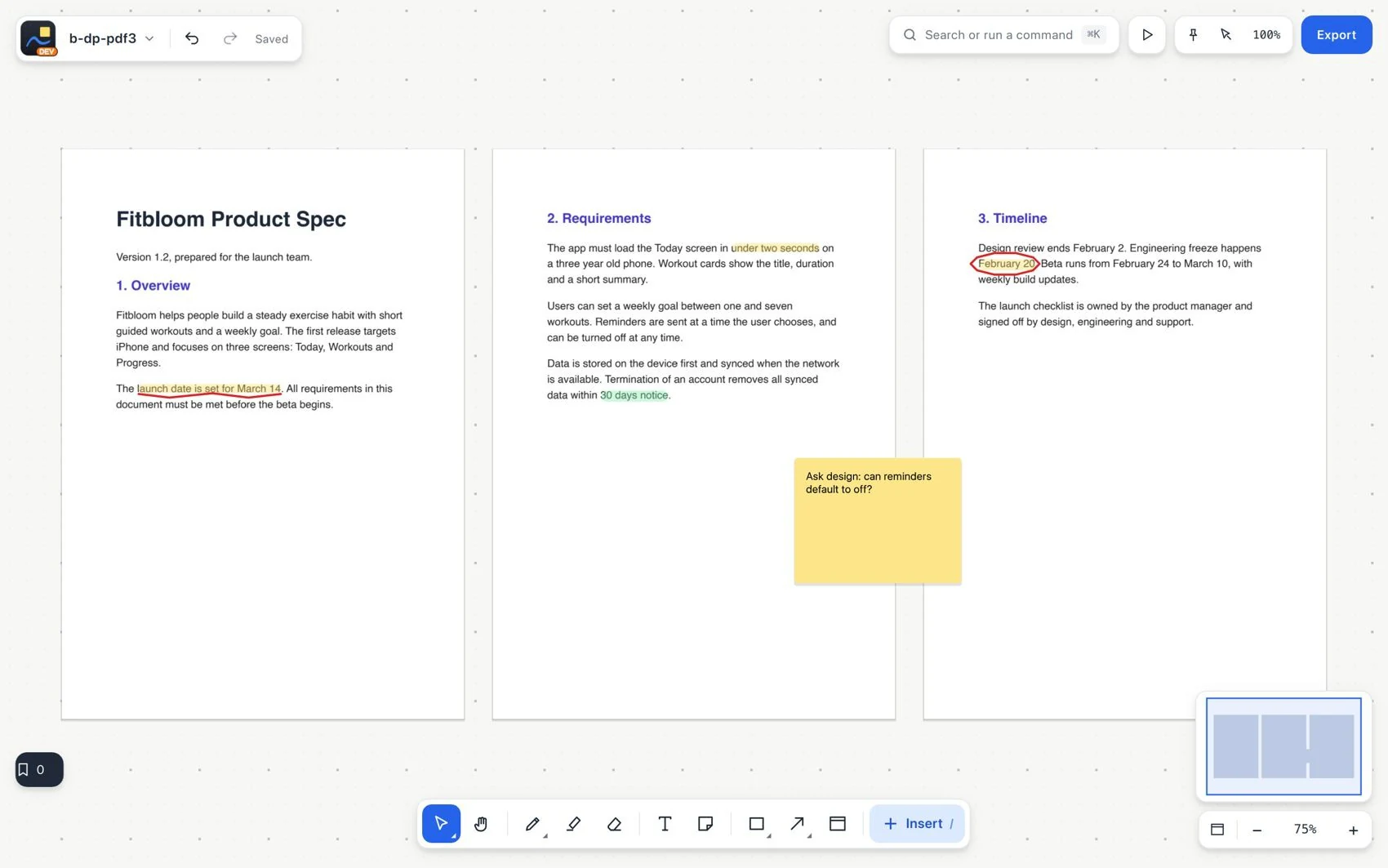
- On PDF text, use the highlight that snaps to words and check which ones were included.
- Move the page to check that its annotations follow it. Use the annotated PDF export to return the review.
#Common mistake and how to fix it
Highlighting does not change the original text. If you mark the wrong passage, undo and repeat at a higher zoom.