
Files, devices and settings
Save, compare and recover your work
VectorBoard saves a board as a local .vboard file. Autosave keeps your work in progress; offers earlier snapshots to review or recover. Undo, history and backup are different mechanisms.
- Check the save indicator while you edit. Keep the file in an identifiable location with a backup.
- Open Version history and name a milestone before big changes or data updates.
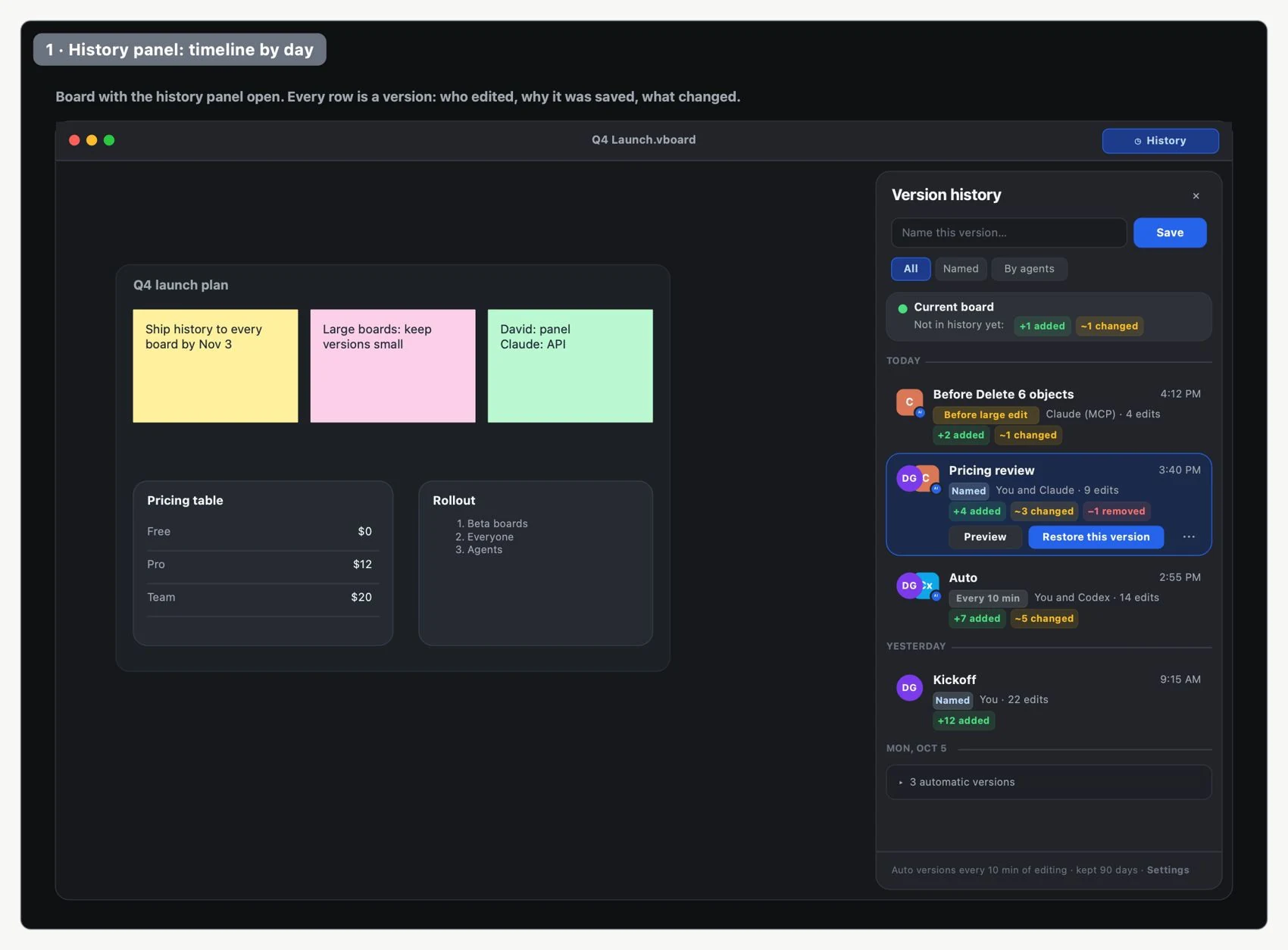
- Select an earlier version to view it without changing it. Compare it with the current one and review which objects changed.
- Choose the scope: the whole board, a page or objects. Check it before you restore.
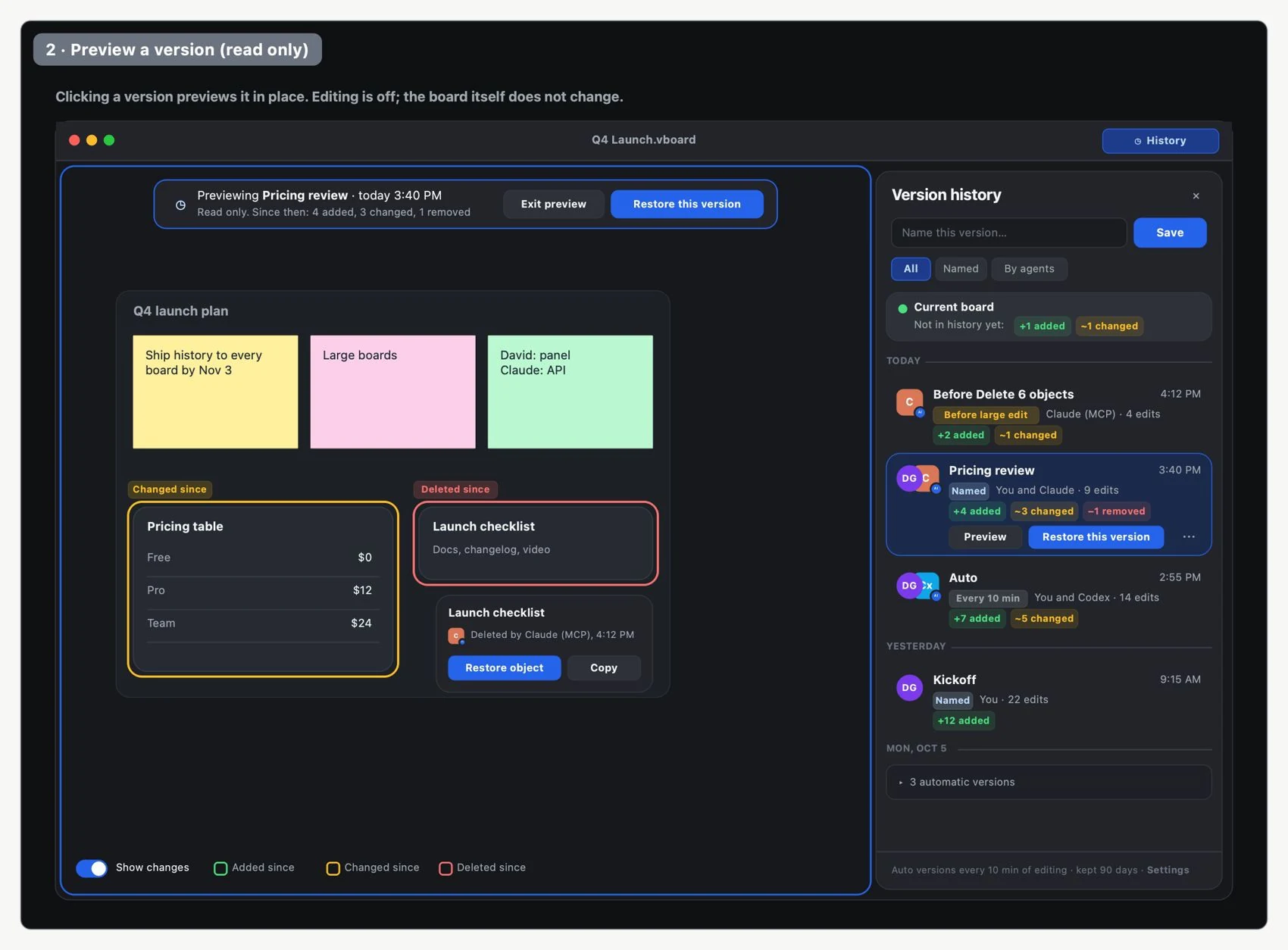
- Restore and review. The current state is saved first to keep a recovery point.
Free keeps seven days of history. Pro and Team offer unlimited history. Your content stays accessible when you change plans or sign out; an expired session does not delete local files. Sync lets you continue across devices, but it does not replace deciding how to protect important work.