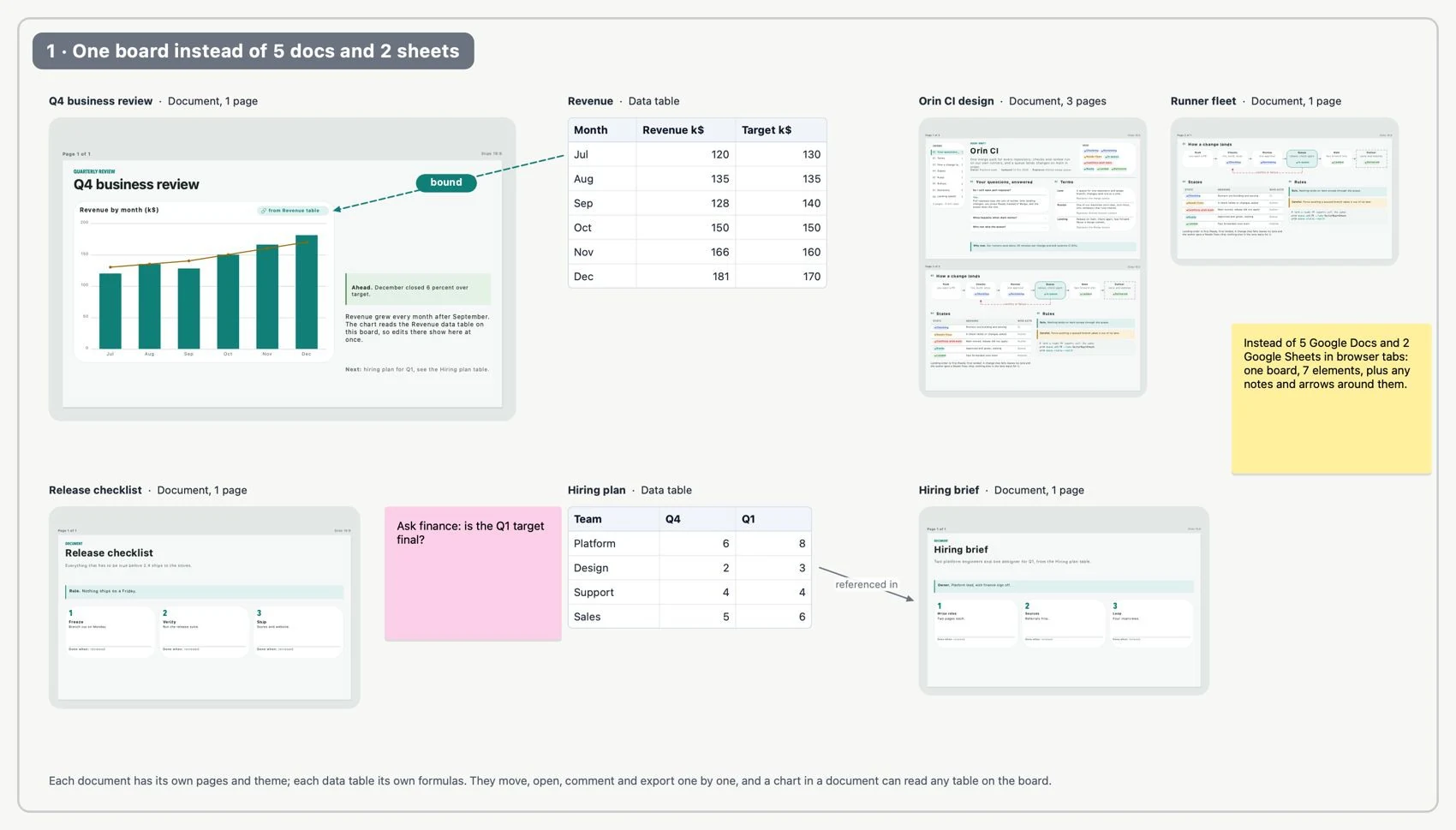
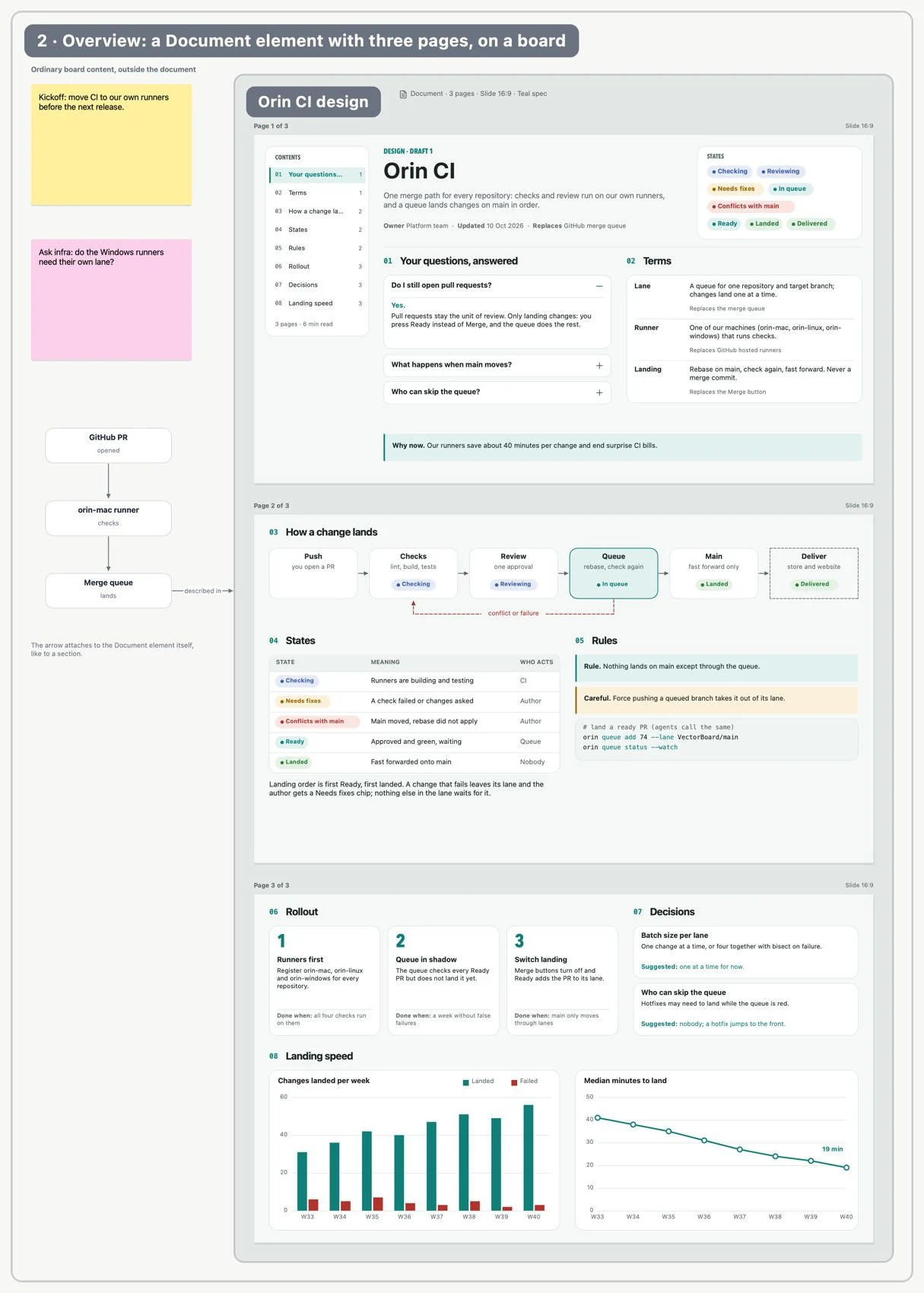
A is an editable board element with pages of a defined size. Use it when you need written structure or printable pages, without separating the content from the project's notes, data and diagrams. It is not an imported PDF or another board.
Documents on a boardReplace seven browser tabs with one board
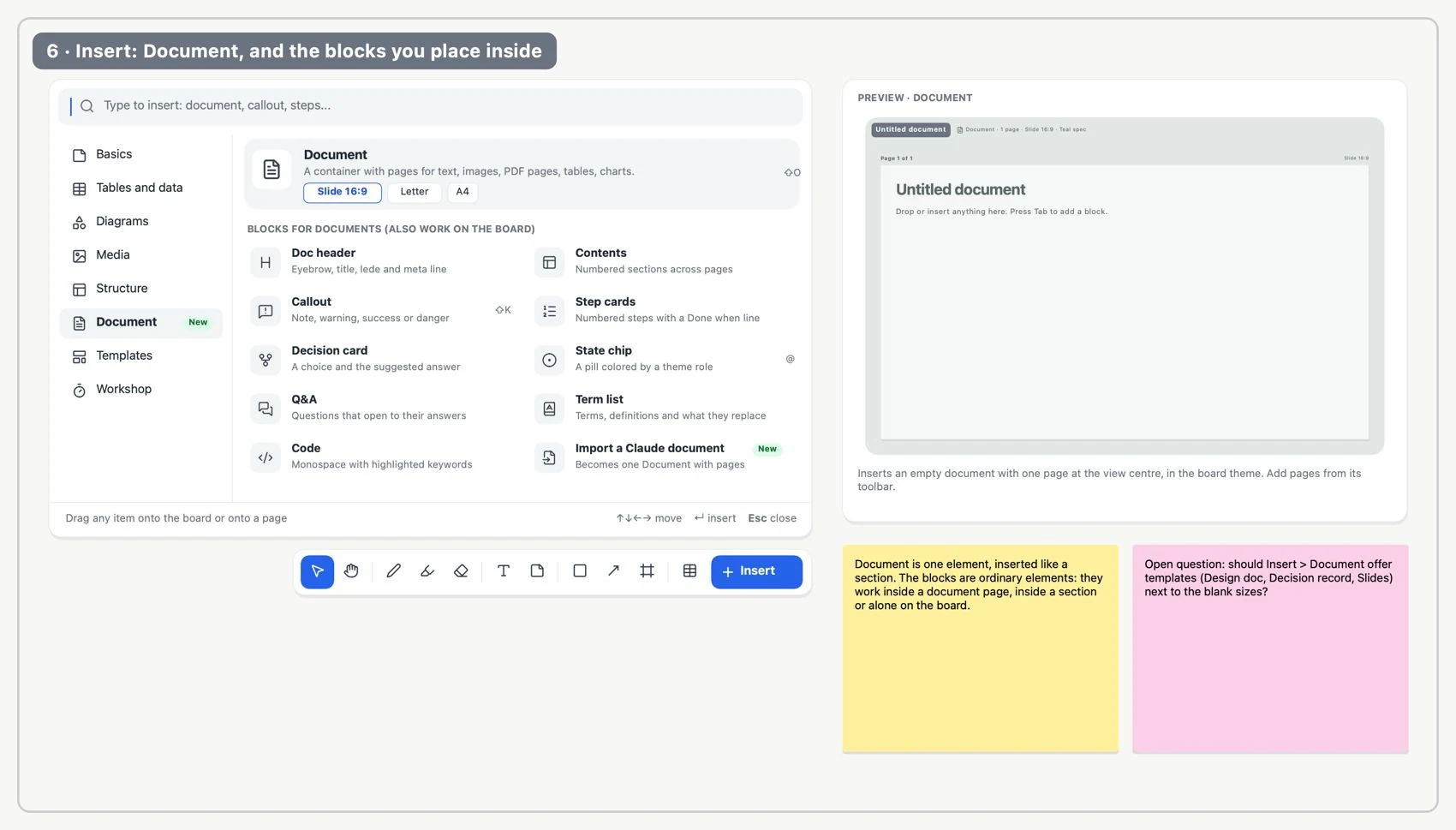
Open Insert → Structure and choose Document. Place it on the board.
Insert a documentAdd a document and its blocks
Choose Letter, A4 or 16:9 slide pages and add the ones you need.
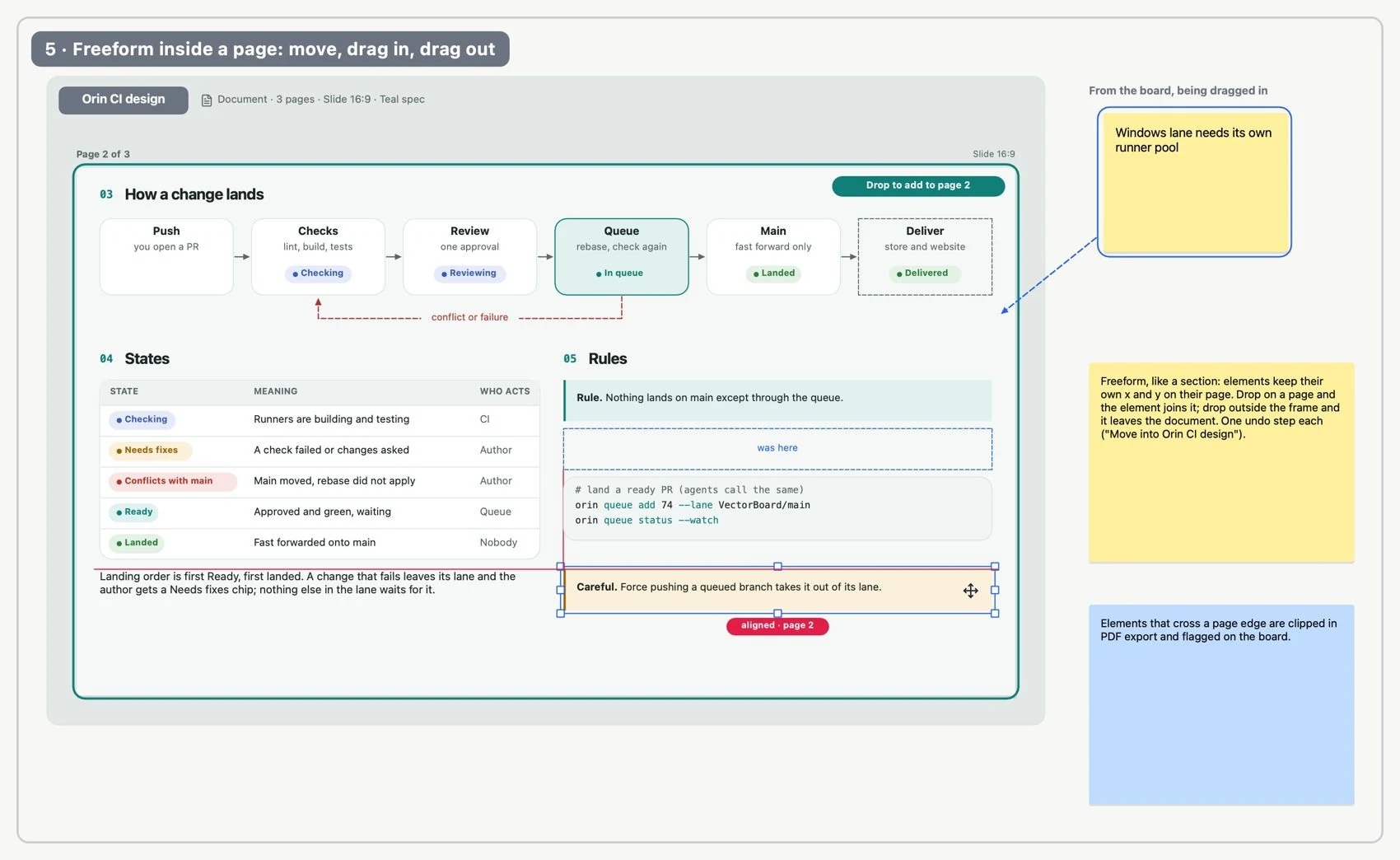
Inside a documentFreely arrange a document page
Insert text, images, shapes, tables or charts. Arrange them freely within the limits of each page.
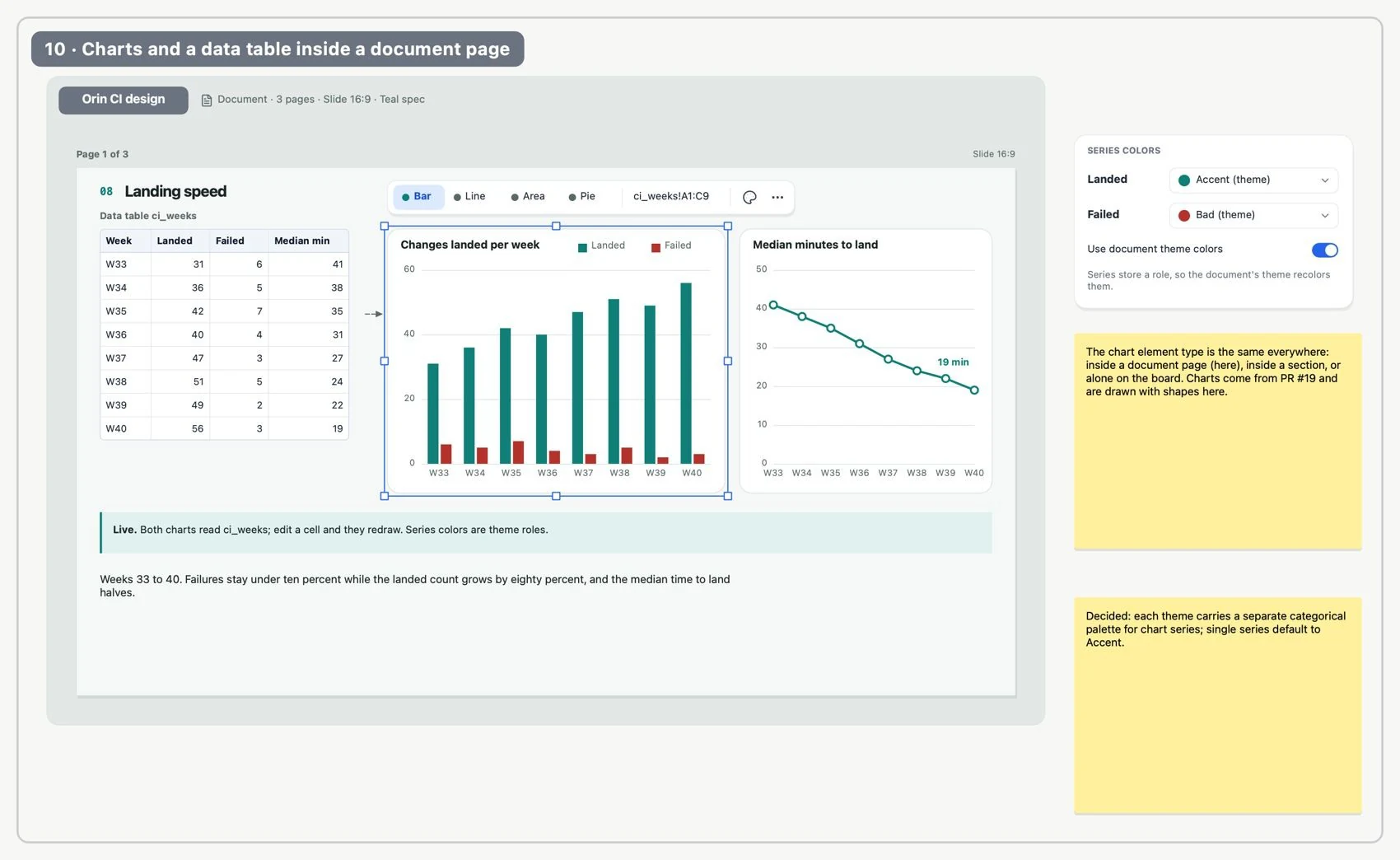
Charts in documentsInclude live data in a document
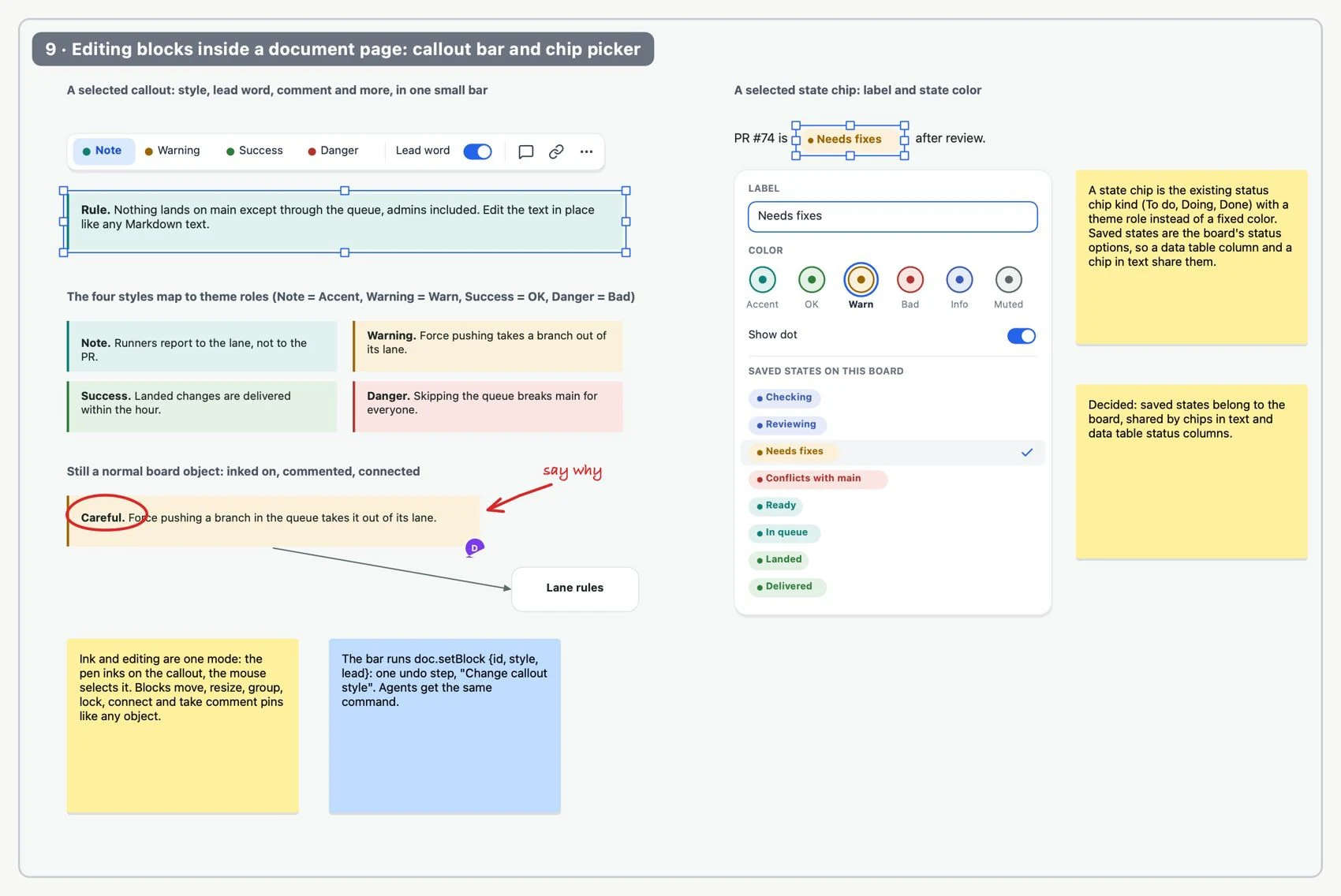
Add structure blocks: heading, table of contents, callout box, step card, decision, status, questions and answers, terms or code.
Edit document blocksWrite with a clear structure
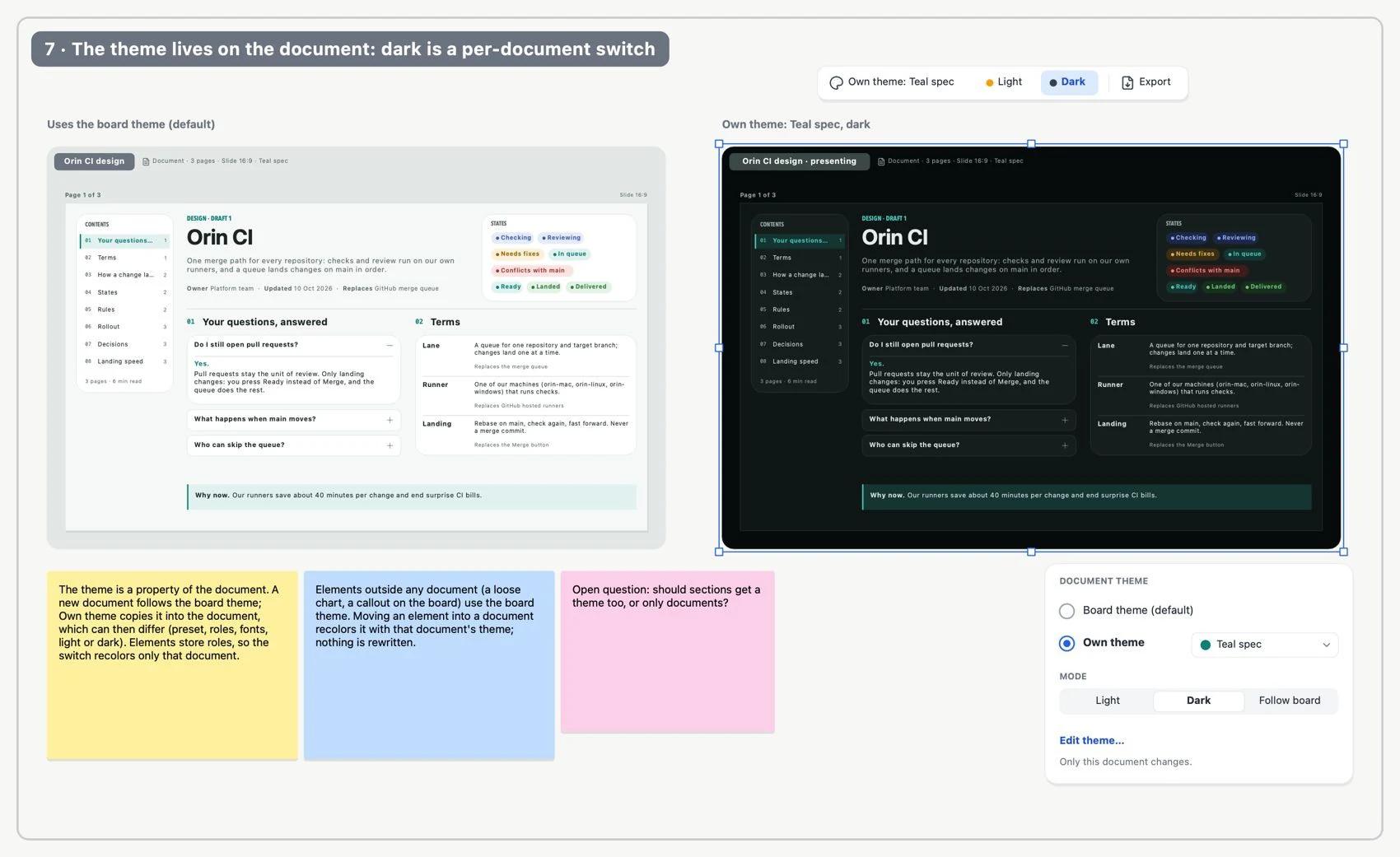
Adjust the document's light/dark theme when it applies. Move the whole document, or drag elements in or out.
Document themesGive each document its own look
Export it as a PDF and check that each page of the document produces a page in the file.