
Ai and Orin
Supervise work with the Agent map
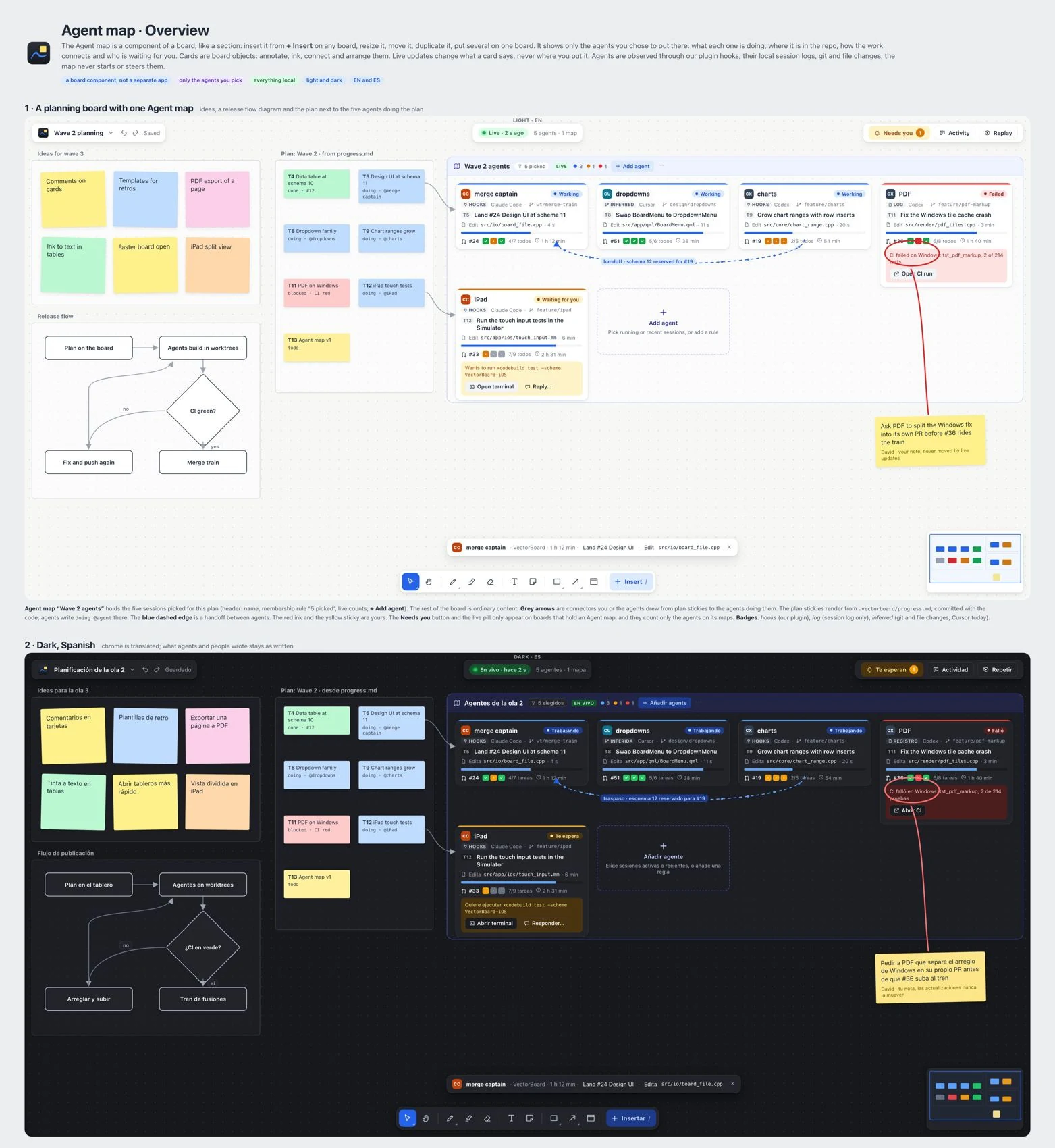
The is a real-time view of the agents you choose to show. It is a board element, not an AI model. It lets you see tasks, requests and progress across sessions without opening each conversation separately.
- Insert an Agent map and choose which agents will appear.
- On each card, review the activity and the project or repository context.
- Open Needs you to answer approvals and questions first.
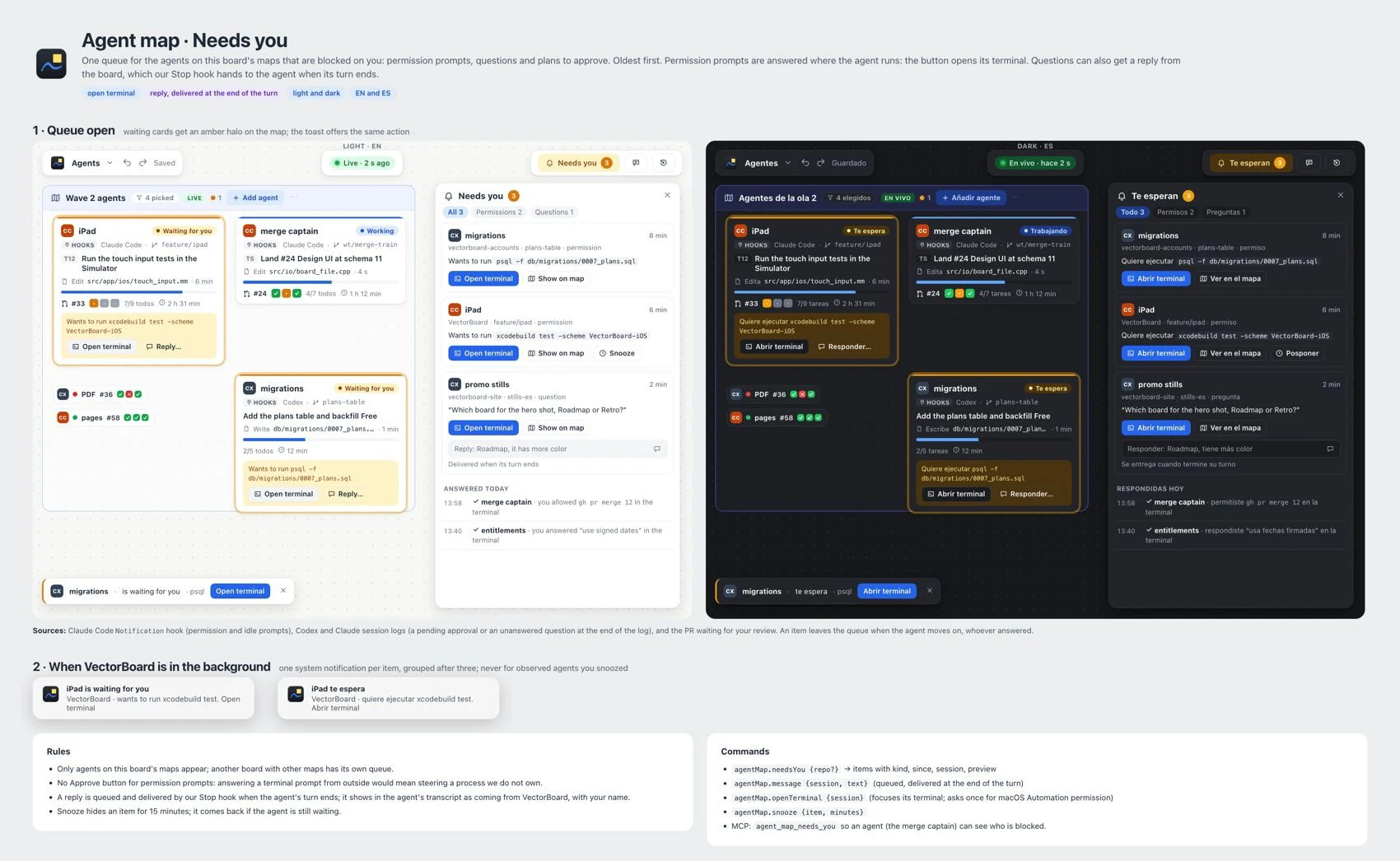
- Use the controls to send messages, approve, reject, cancel or retry the right task. Read the action before you confirm.
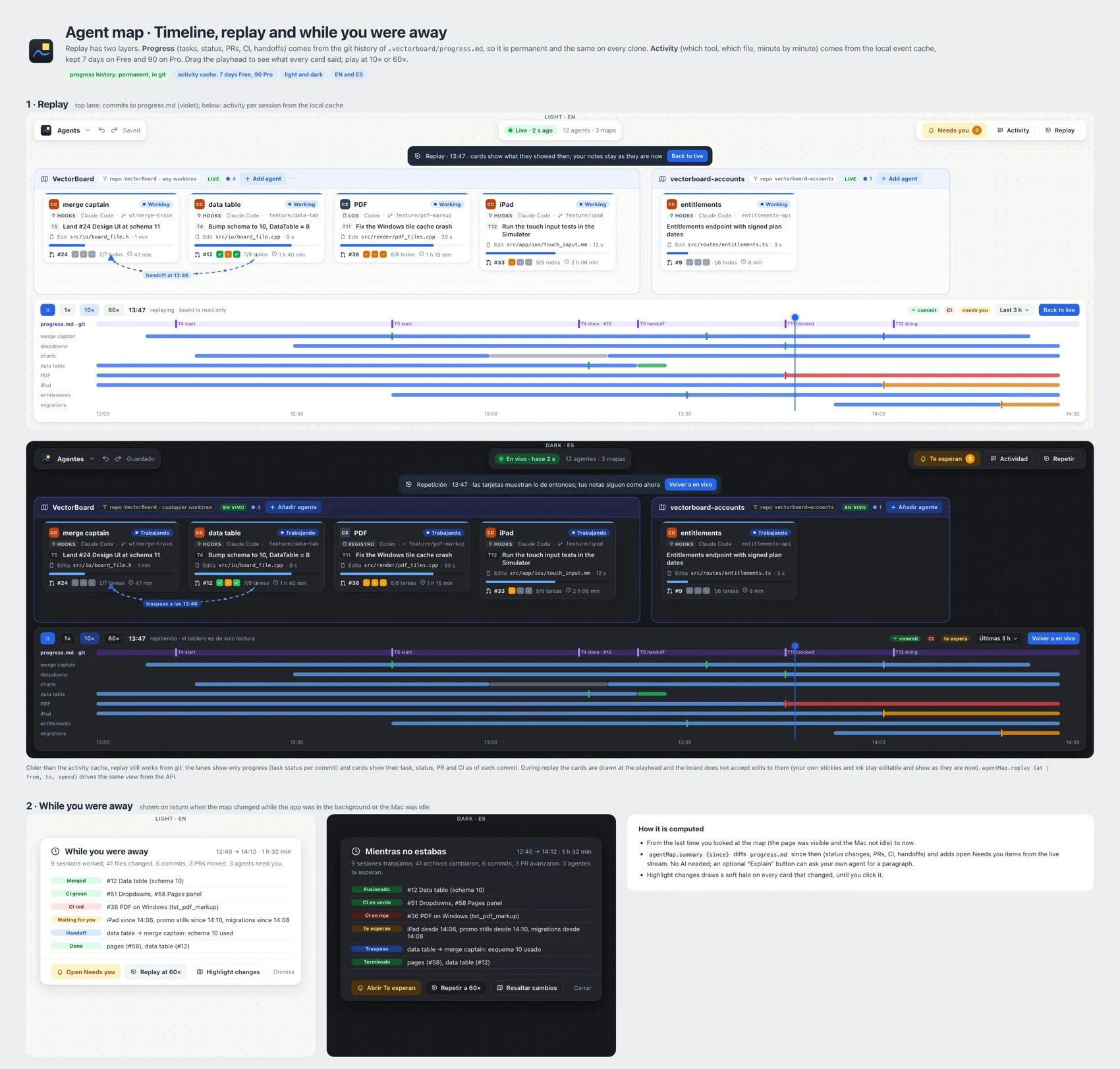
- Use the activity replay and While you were away to review changes made during your absence.
- With GitHub connected, review pull requests and the status of automated checks.
Free offers seven days of replay and monitoring from iPad on the same network. Pro and Team offer 90 days and remote monitoring. Team maps share metadata by default; they are not meant to publish private requests.