
Data and calculations
Import, refresh and export data
Import creates a data table from a file or a read-only query. Refresh reads the source again. It is not the same as recalculating formulas with the values already on the board. Keep the source link when you need repeatable reports.
- Drag a CSV, TSV or Excel .xlsx file onto the board, or open the data import dialog.
- Review the preview, encoding, delimiter, detected columns and proposed types. Correct how dates or figures are interpreted before you accept.
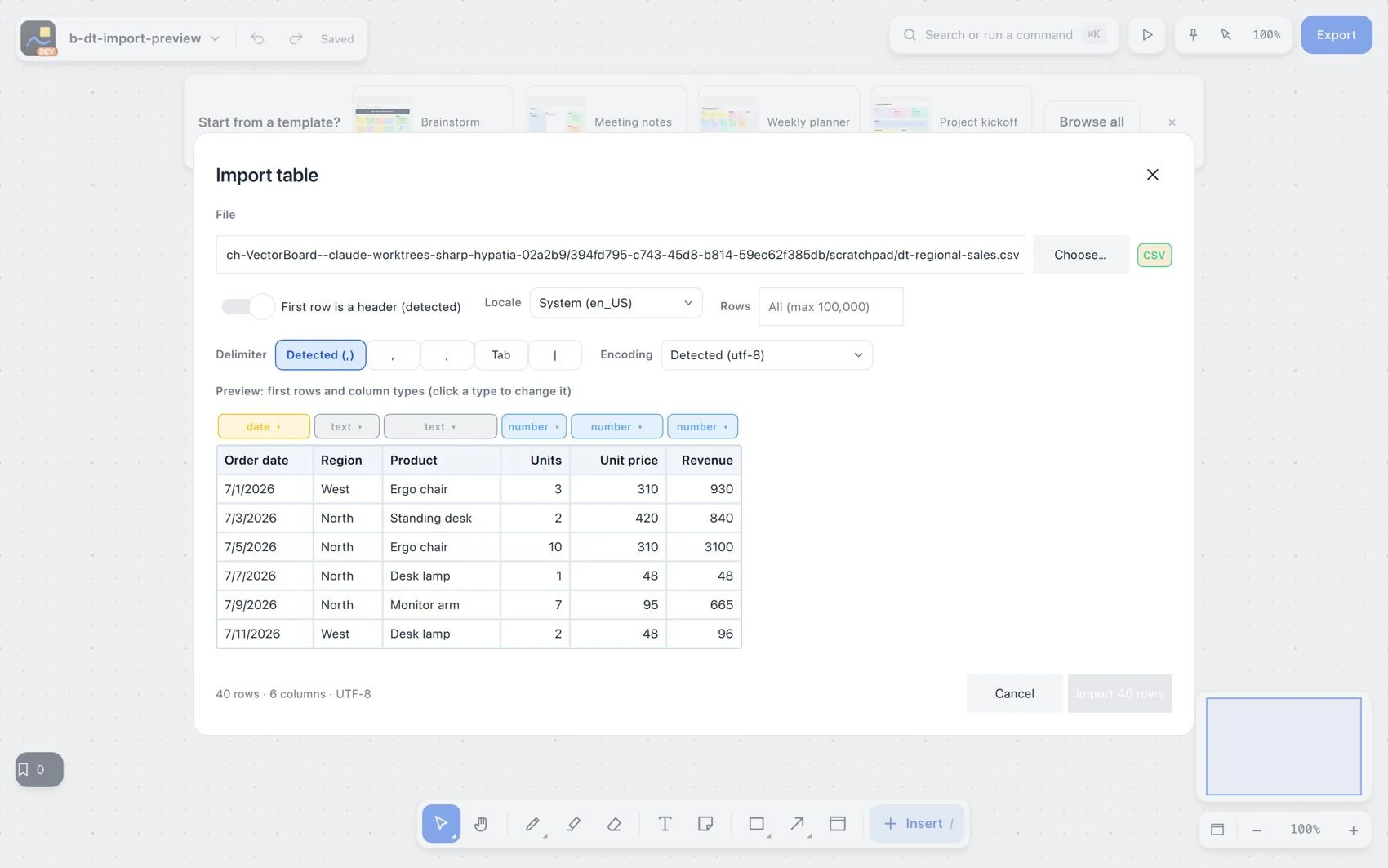
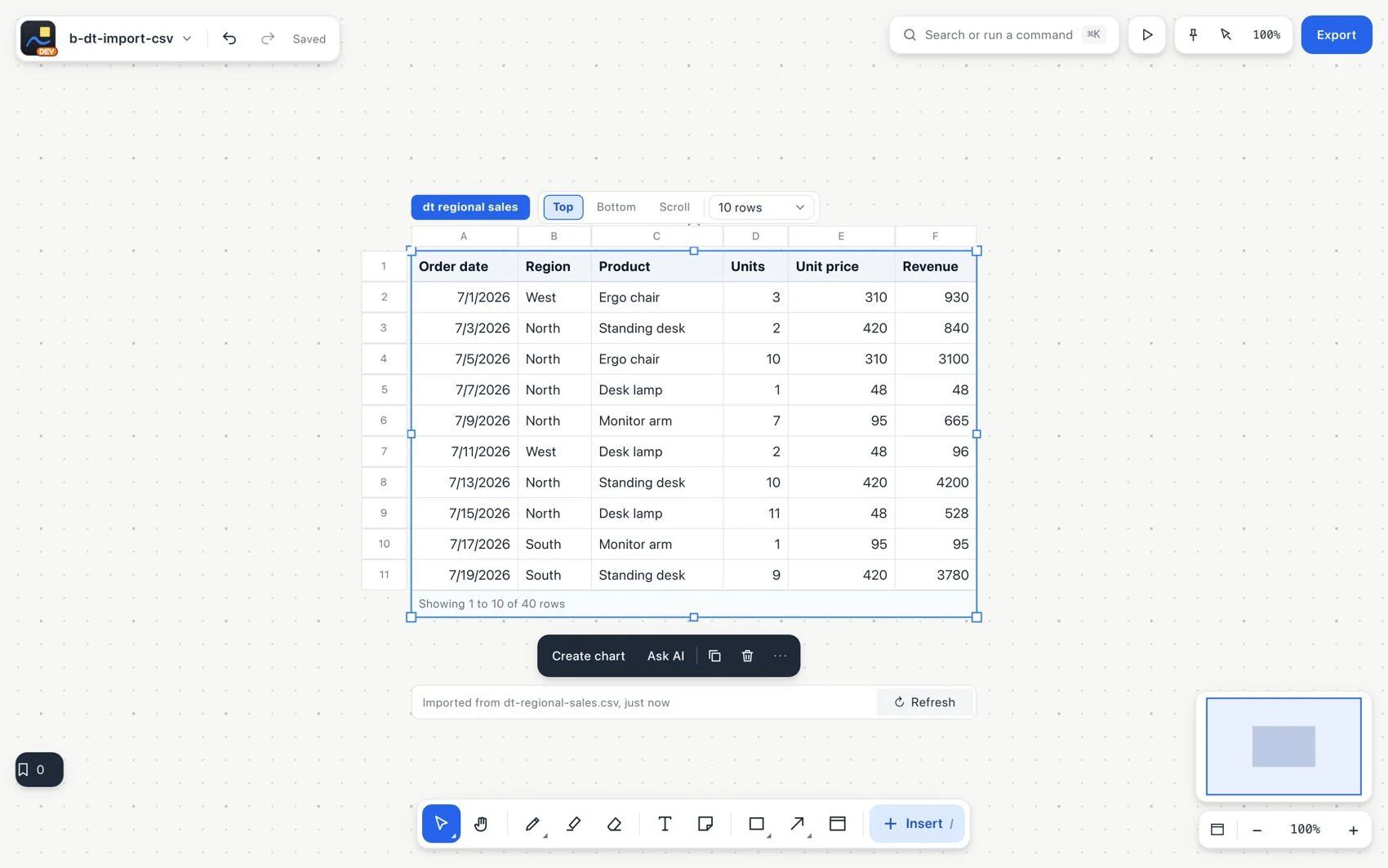
- Import and check a few rows, the number of records and the important totals.
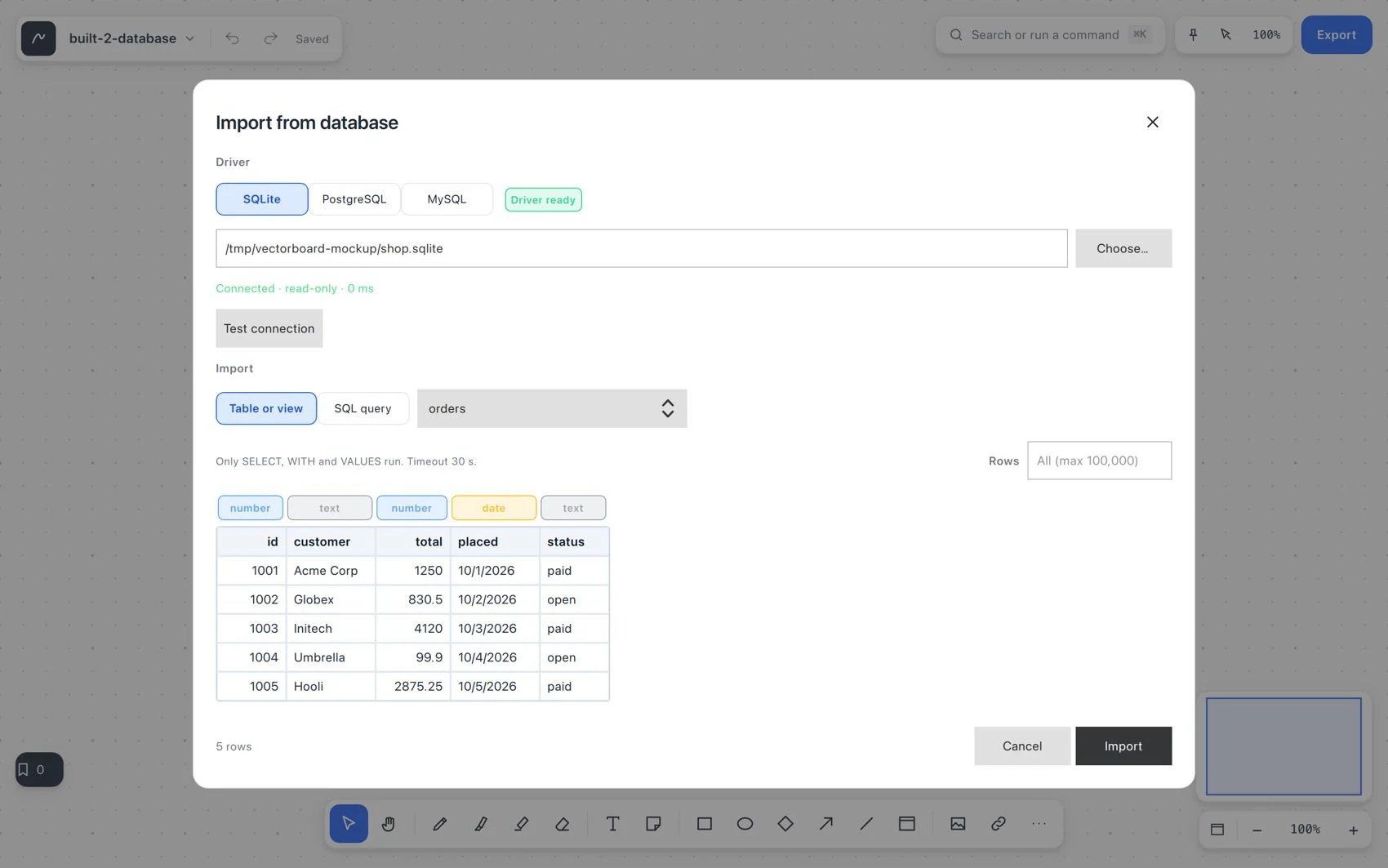
- For a database, choose SQLite, PostgreSQL or MySQL and provide the connection and a read-only SELECT query. Review the preview.
- Use Refresh in the source footer when the source changes. Then check the data and its dependent formulas.
- Export a table or a range as CSV or Markdown. For CSV, choose original values, displayed values or formula text.