
Complete workflows
Review a PDF and return the annotated copy
Goal: review requirements, keep the original text and return an annotated file. Input: a PDF you can review. To practice, create a three-page document, export it as a PDF and import it as a review copy. Result: an annotated PDF and linked actions on the board.
- Create a section
Requirements review. Import the PDF and choose a readable layout. - Open the pages panel, find the second page and zoom in until you can read the capacity.
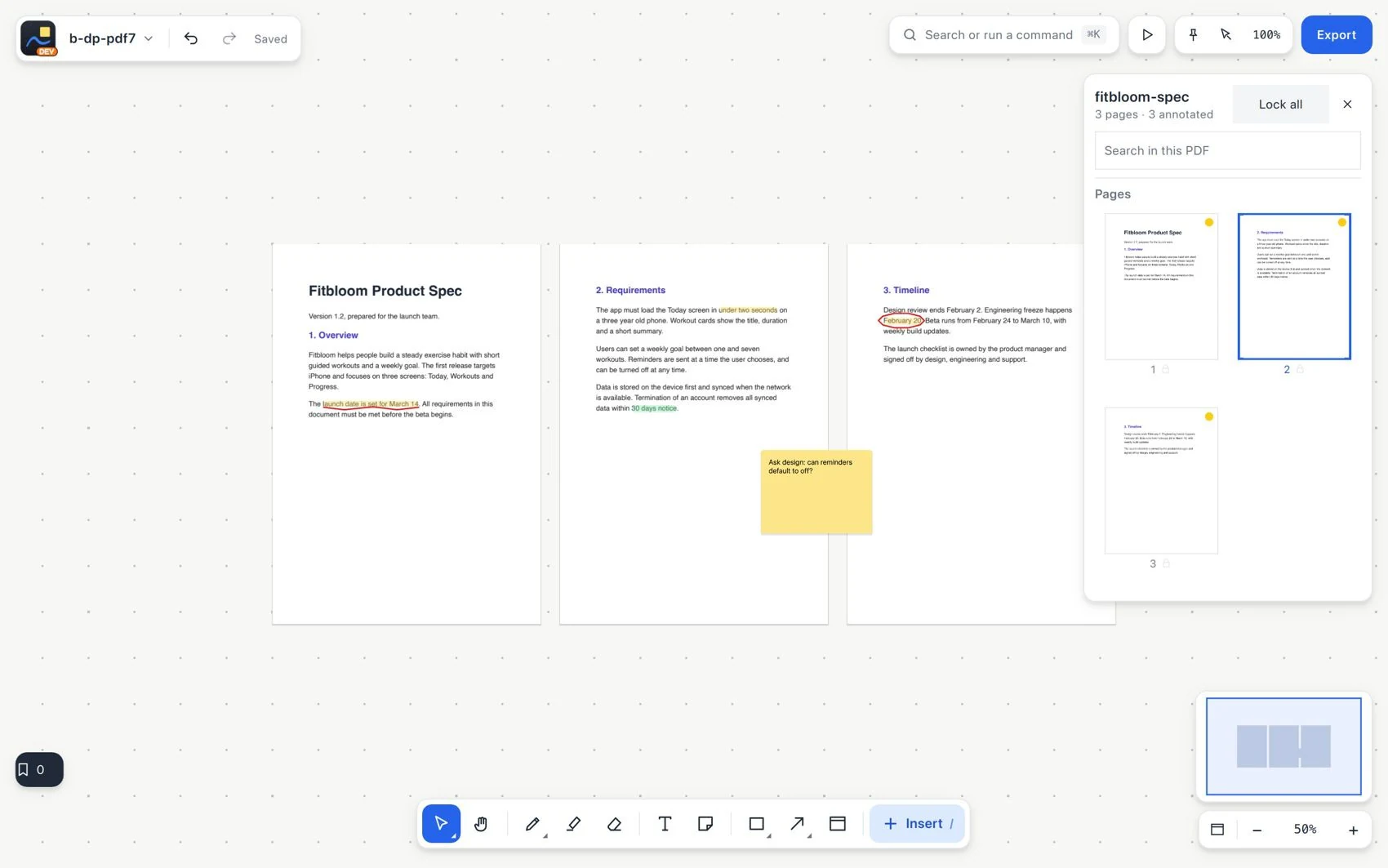
- Highlight the sentence and place a note on the page:
Confirm that registration closes when it reaches20. - With Pen, mark the materials deadline on the third page. Add a note asking who is in charge, without inventing a person.
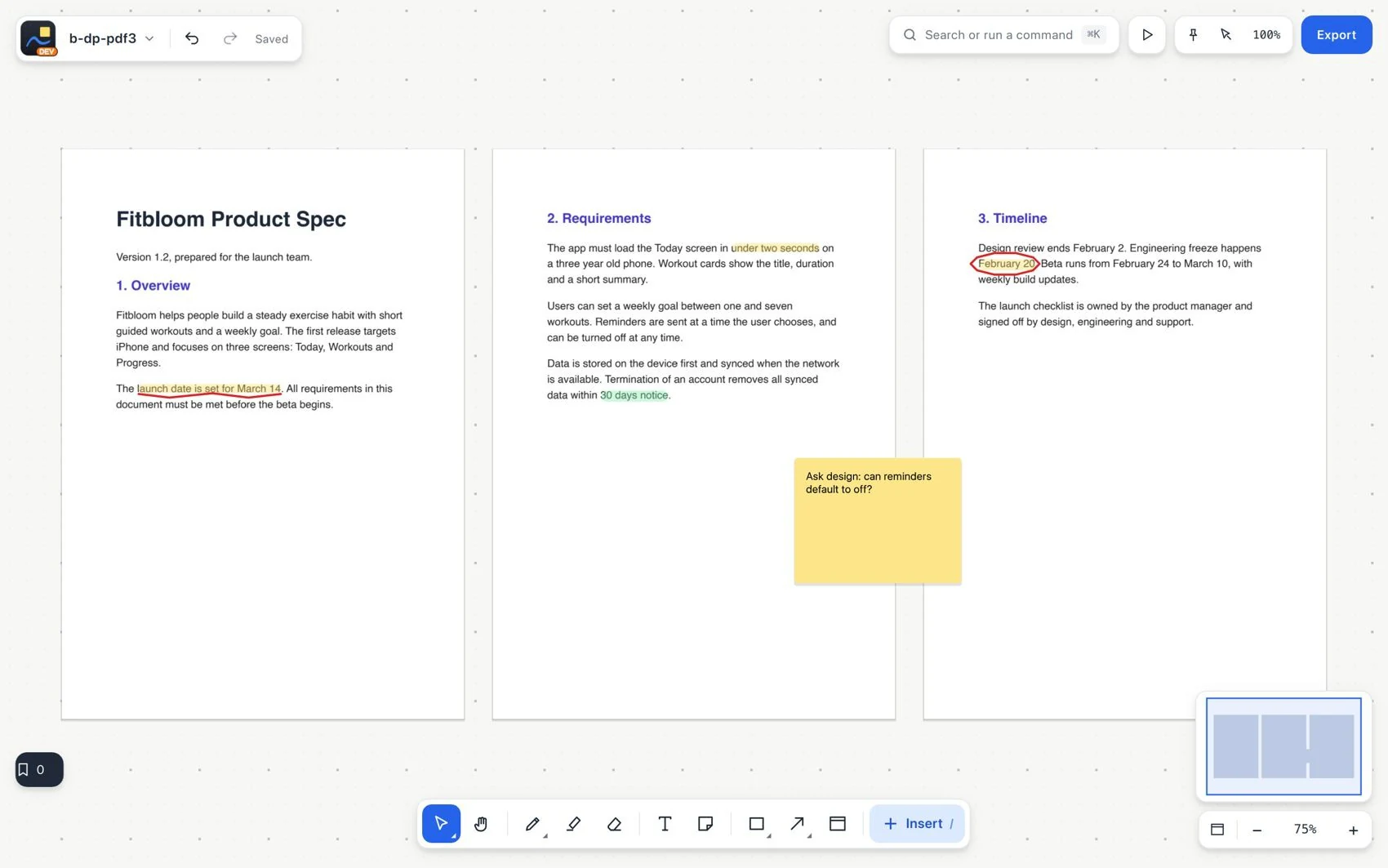
- Move a page and check that its annotations go with it.
- Add tasks to the tracking for the registration limit and the preparation of materials. Link each one to its page or annotation.
- Export the annotated PDF with the reviewed pages. Use notes as comments if that suits the recipient.
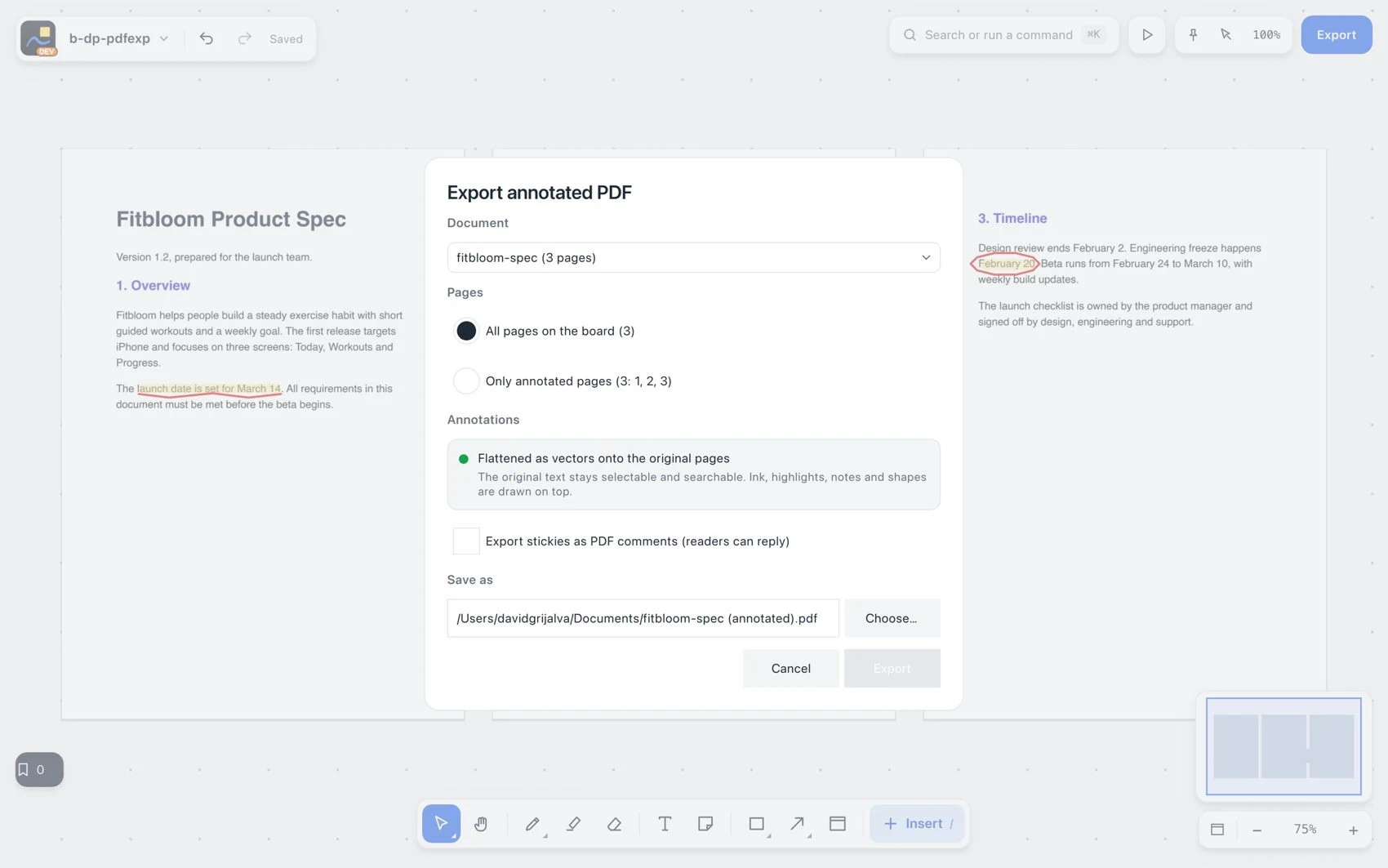
- Open the PDF outside VectorBoard and verify the three pages, the readable original text, highlights, strokes and comments.