Data and calculations
Write formulas and connect tables
A reference points to a cell or a range. A1 is relative. $A$1 fixes the column and row when you copy. A1:D20 is a range. A table name followed by ! points to another table, even one on another page.
| Example | Meaning |
|---|---|
| Adds the four cells in the range. | |
| =SUM(D2:D5) | |
| Shows a label based on a condition. | |
| =IF(D2>500,"Review","OK") | |
| Reads D6 from the table named Budget. | |
| =Budget!D6 | |
| Use single quotes if the name contains spaces. | |
| =SUM('Q3 Budget'!B2:B20) | |
| Counts the cells that match the exact status text. | |
| =COUNTIF(Tasks!D2:D5,"Completed") |
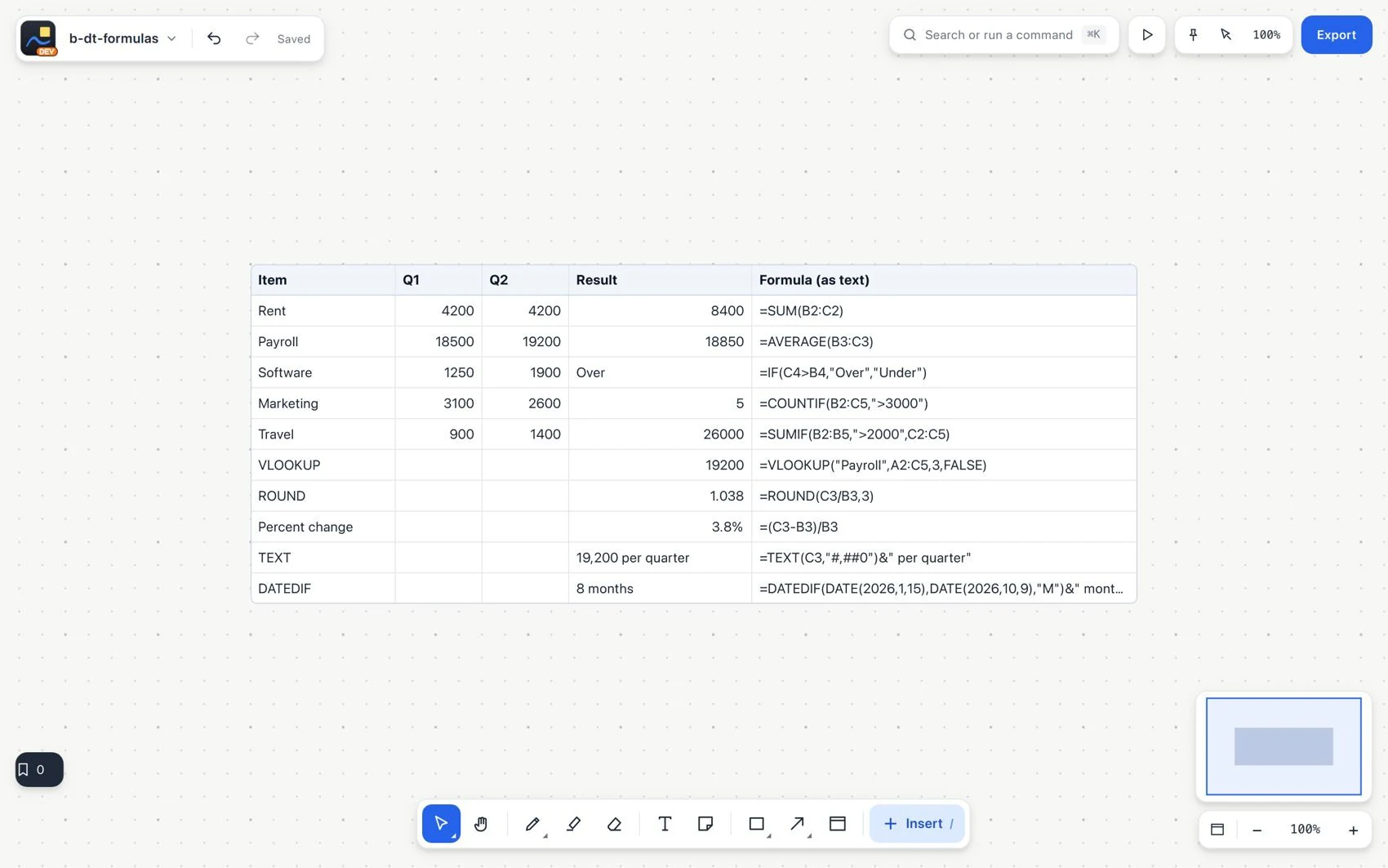
The set includes 83 Excel-style functions: totals such as SUM and AVERAGE; conditional totals such as SUMIF and COUNTIFS; logic such as IF and IFERROR; lookups such as XLOOKUP, VLOOKUP and INDEX/MATCH; text; dates such as TODAY and NETWORKDAYS; and value checks. Autocomplete shows the available functions and their arguments.
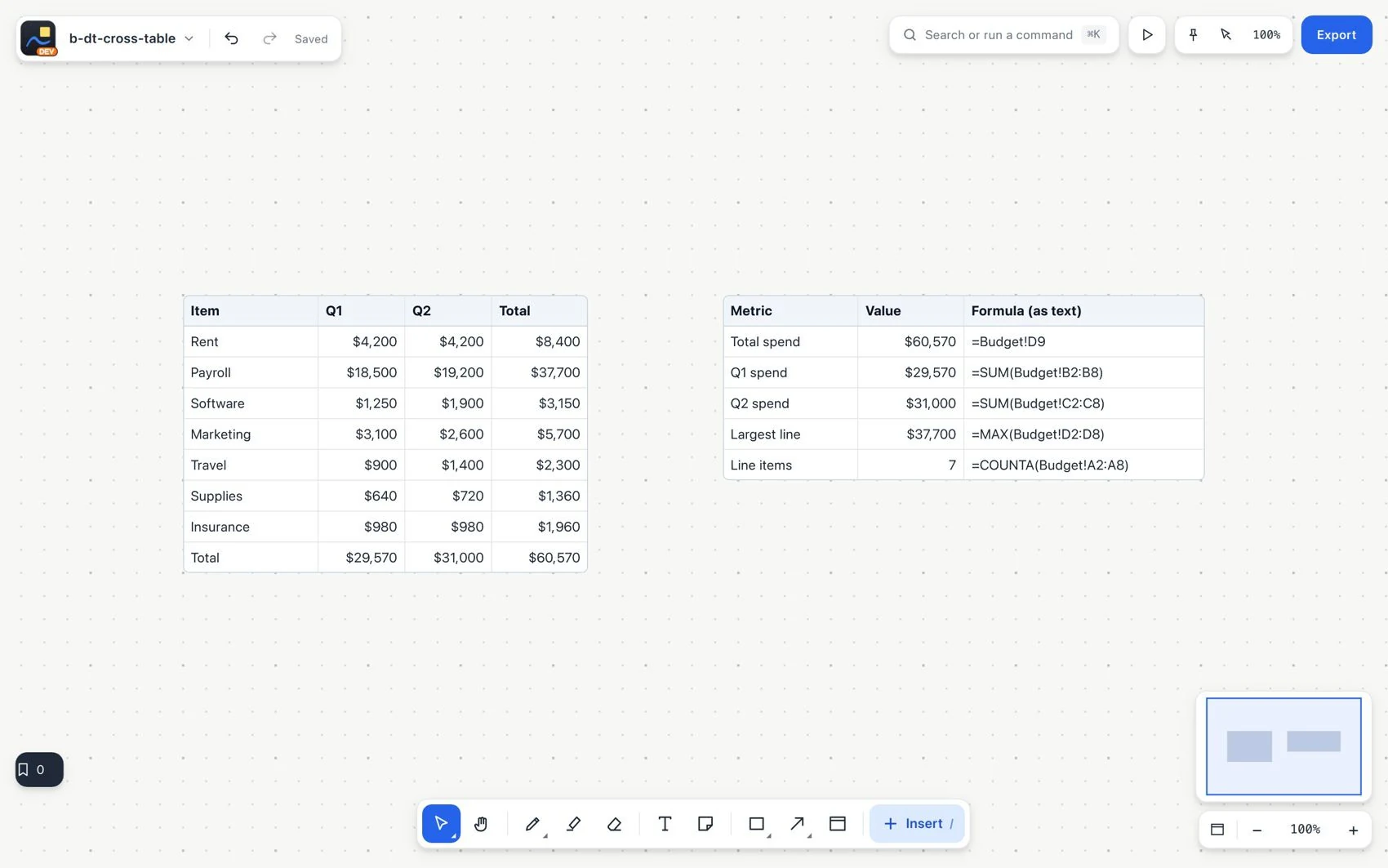
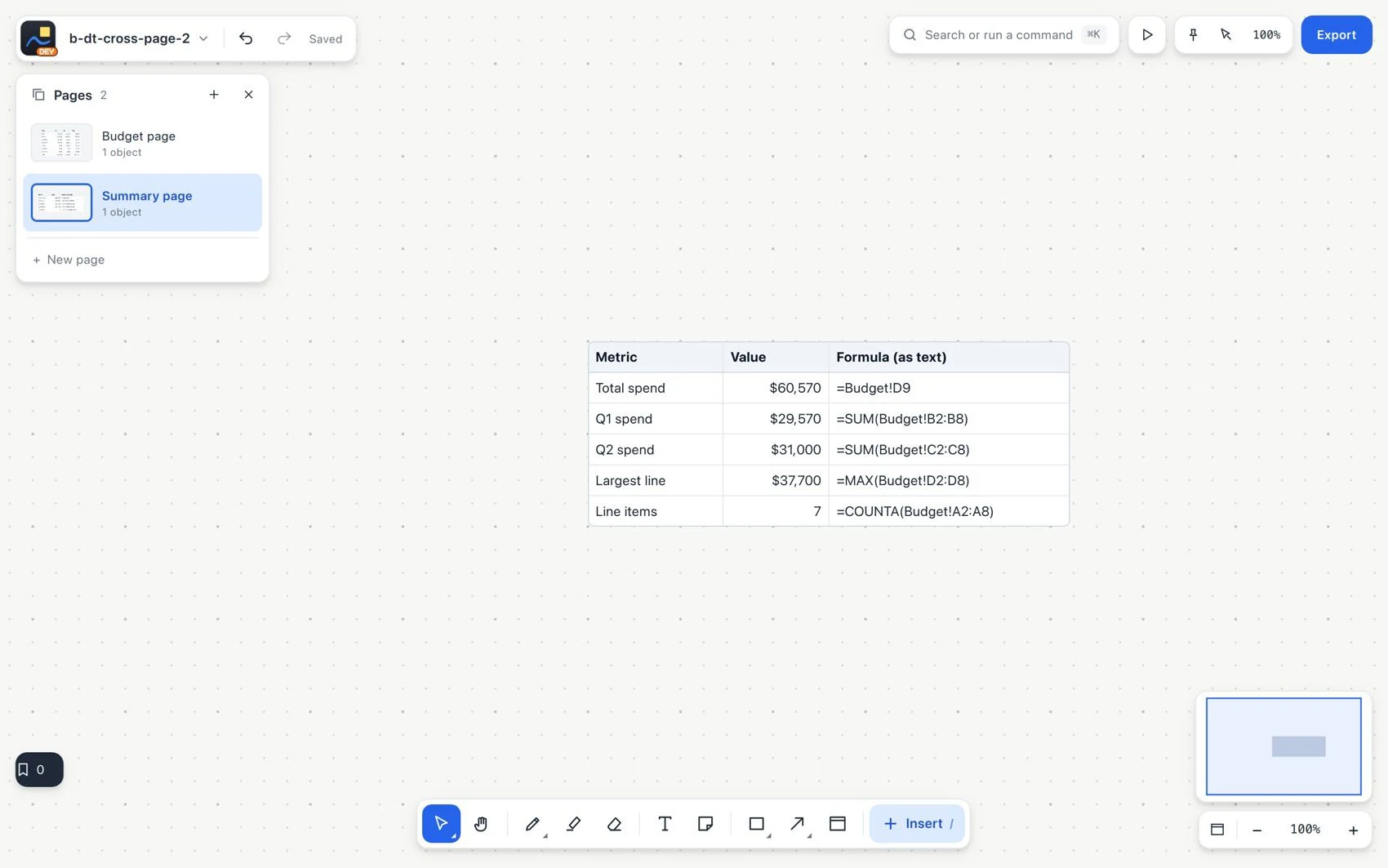
Keep the summary on its own page
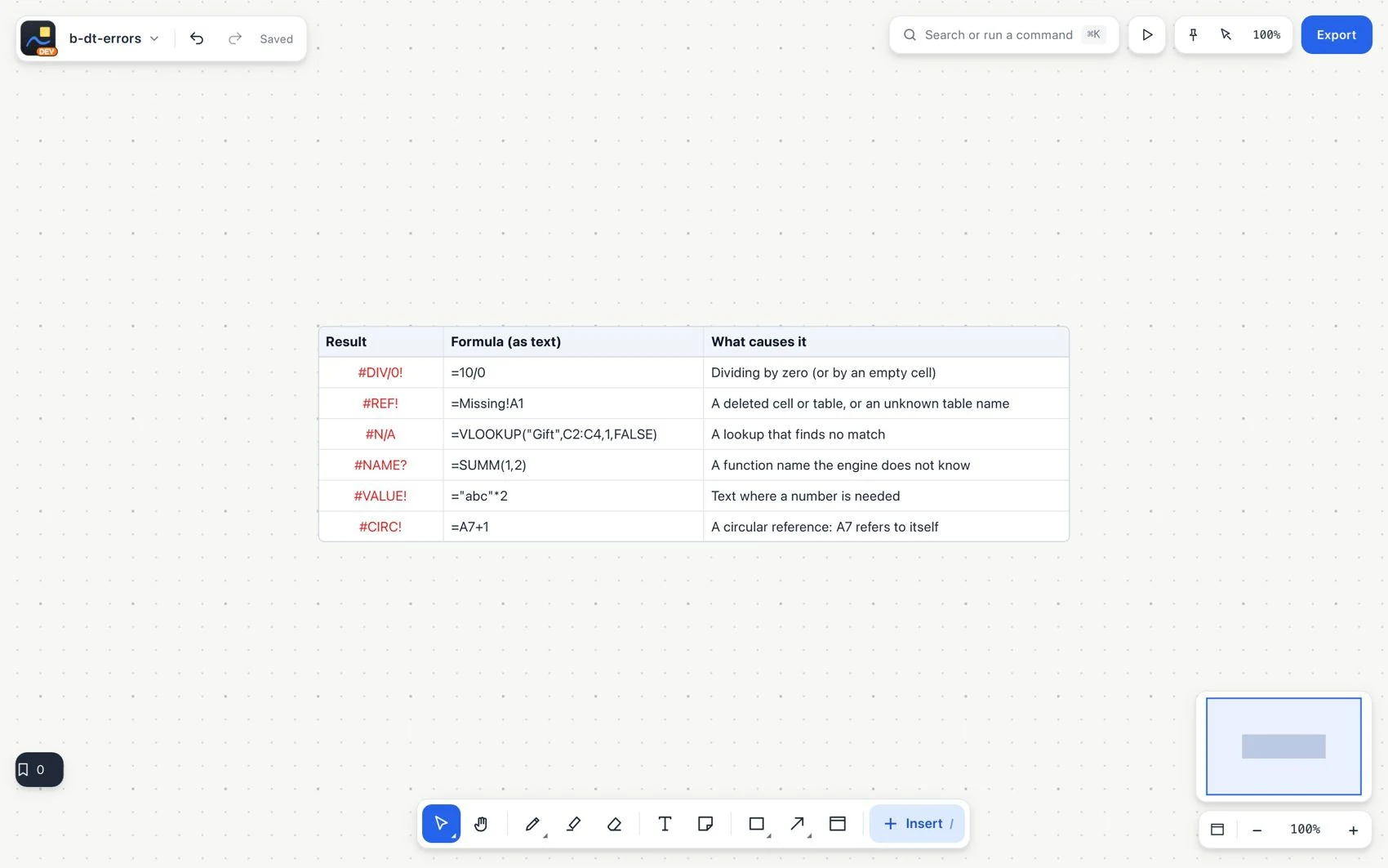
#When a formula shows an error
| Error | What to check |
|---|---|
| The divisor is zero or empty. | |
| #DIV/0! | |
| A cell or table was deleted, or the name is not recognized. | |
| #REF! | |
| The function is not recognized. | |
| #NAME? | |
| An argument has the wrong type. | |
| #VALUE! | |
| The lookup found no match. | |
| #N/A | |
| A numeric value or result is not valid. | |
| #NUM! | |
| The formula depends on itself, directly or across tables. | |
| #CIRC! | |
| The syntax cannot be interpreted. | |
| #ERROR! |